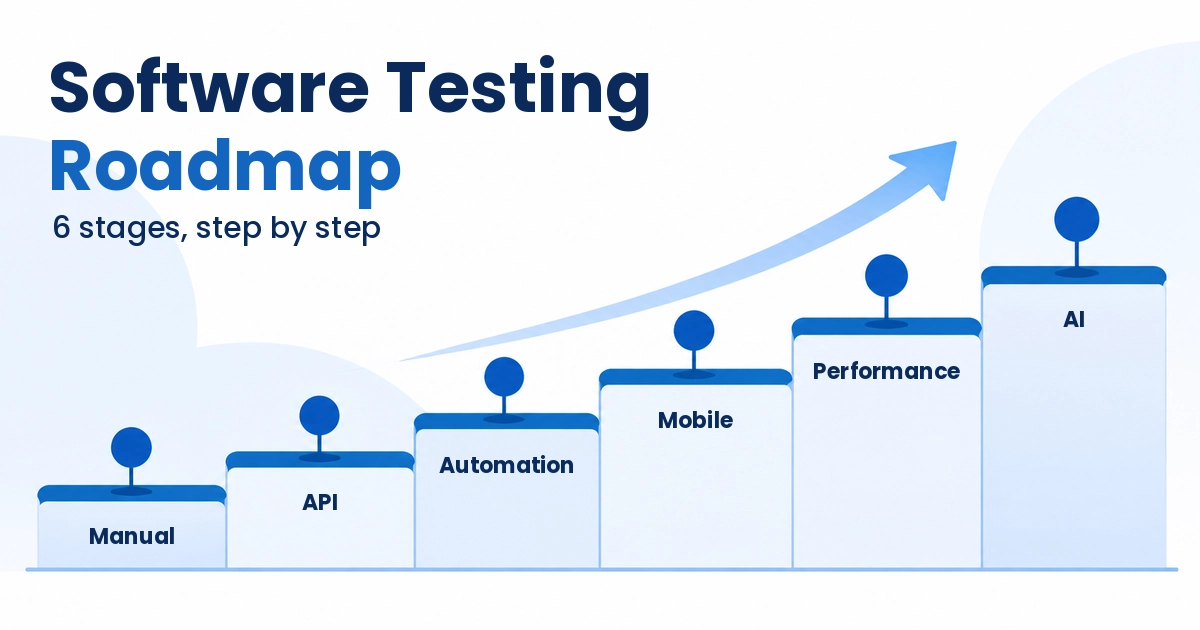
Software Testing Roadmap 2026: 6 Best Stages From Manual to AI
It’s Sunday evening and you’re scrolling job listings. One wants Selenium, the next wants Playwright, a third adds JMeter and “AI-assisted testing” on top. A good software testing roadmap should end that spiral, yet most of what you’ll find online is a shopping list of tools with no order.
This guide is the order. It covers six stages, from manual testing through automation, mobile, performance and AI, with what to learn first, what can wait, and the one mistake I’d help you skip.
You don’t need all of it this year. You need the next stage.
Table of Contents
Quick answer: in what order should you learn software testing?
Start with manual testing and test design, then add API and database checks, then pick one programming language and master one automation tool before touching a second. After that, widen into mobile and performance testing, learn how suites run in a pipeline, and finish with AI-assisted testing. Treat each stage as finished only when you can show a small project.
Why a software testing roadmap should be phased, not rushed
Search for testing career advice and you’ll land in one of two camps. One says learn Selenium on day one. The other says skip manual testing because it’s dead. Both skip the part that matters, which is the order.
The software tester career path has no single door, so any software testing roadmap is a guide, not a law. I started as a manual tester at a product company, on software that planned and mapped rough diamonds and was integrated with a machine. Later I moved to web and mobile products: ecommerce, matrimonial sites, hotel and flight booking, inventory systems and Salesforce projects.
That mix is where functional, regression, usability, integration, smoke, API, acceptance and database testing stopped being vocabulary words. From 2009 to 2019 I added tools in phases, only when a project needed them: Selenium IDE, then Selenium and Grid, then Appium, then JMeter, LoadRunner and BlazeMeter. Playwright and Cypress came after. Today I work as a freelancer and pick whatever fits the job.
Here’s the mistake I’d undo. I spread myself across many tools before mastering one. The exposure was useful, so I won’t call it wasted, but depth in a single tool earlier would have moved my career faster. Most beginners repeat this by hoarding tutorials for five tools at once.
My view is simple. Go in phases, one step at a time. In the AI era you can learn almost anything faster than you could two or three years ago, so no stage should feel like a wall.
And here’s an opinion that cuts against common advice. Everyone says automate as much as you can. I’d rather have 40 trusted tests than 400 that the team has learned to ignore.
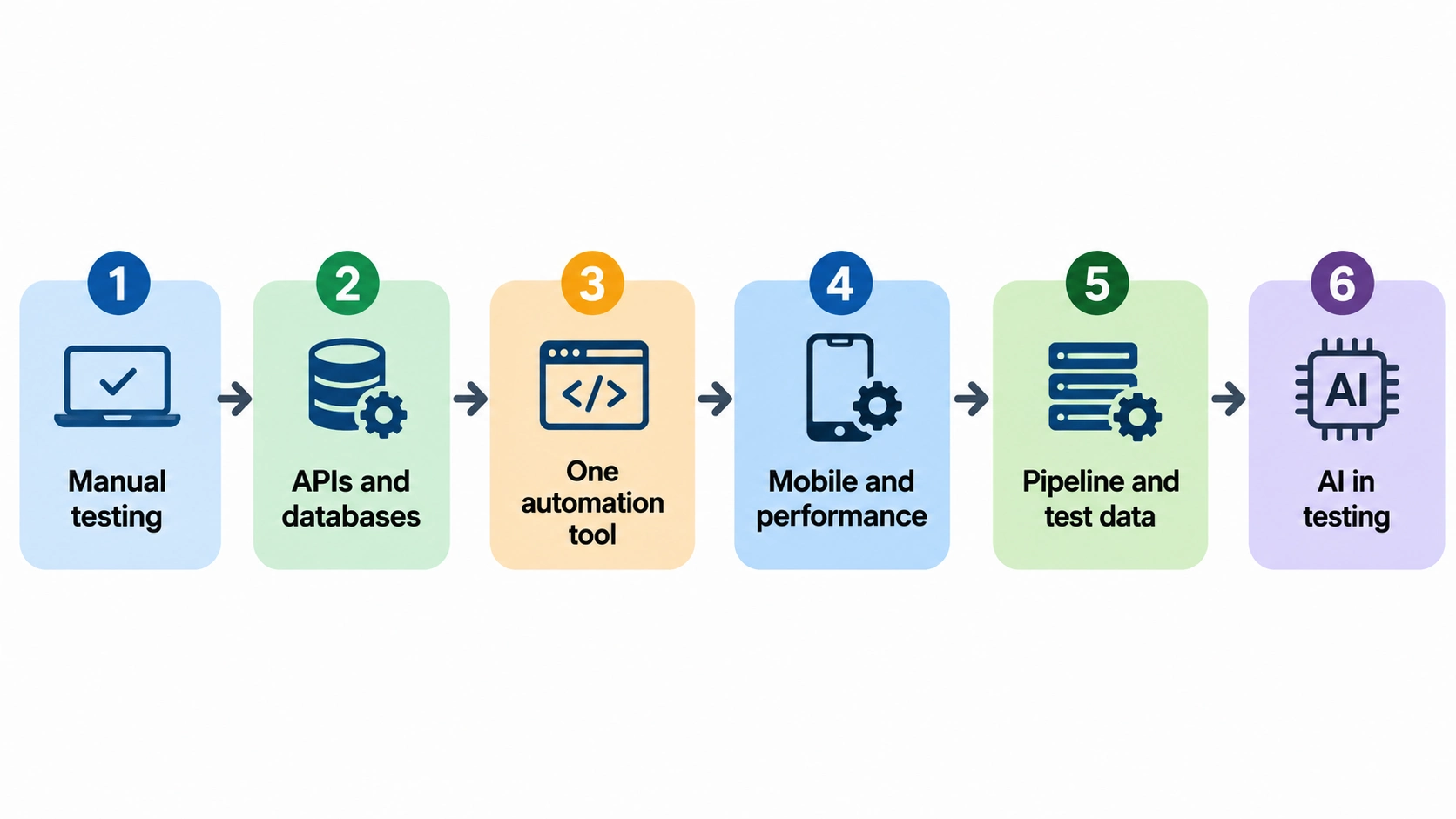
The six stages, in the order I’d learn them
My time estimates are rough. Adding them up gives somewhere between 10 and 21 months of steady part-time study, but stages overlap and your hours will differ. Use the table as a checklist, not a deadline.
| Stage | Build this | You’re done when |
|---|---|---|
| 1. Manual testing and test design | A test suite plus five clear bug reports for any public demo site | You can derive test cases with boundary values and decision tables without a template |
| 2. APIs and databases | A set of API checks and SQL queries that confirm what the UI shows | You can tell which layer, UI, API or database, caused a failure |
| 3. One language and one automation tool | A small framework with fixtures, test data setup and a report | A teammate can run it from a fresh clone |
| 4. Mobile and performance | One Appium test and one JMeter load plan | You can explain what each result means |
| 5. Pipeline, data and quality gates | The suite running on every push, with synthetic data | A red build tells you why within minutes |
| 6. AI in testing | One reviewed AI-generated test and one check on an AI feature | You can say what the AI got wrong |
Stage 1: Manual testing and test design (my estimate: 2 to 4 months)
Start with the vocabulary every team shares. The ISTQB Foundation Level syllabus is a free download, and its six chapters cover fundamentals, the lifecycle, static testing, test design, test management and test tools. Read it once for the words, not to memorize it.
Then practice the four black-box techniques it teaches: equivalence partitioning, boundary value analysis, decision tables and state transition testing. Boundary values pay off quickly. The syllabus shows a rule meant as “x is 10 or less” but coded as “x equals 10”. Testing 10 and 11 misses the defect, while testing 9 catches it.
Write bug reports as if someone must act on them tonight. Give exact steps, the expected result, the actual result and the environment. A developer can reproduce that report in two minutes, and that’s why they’ll trust you.
In my own projects this stage meant functional, regression, UI and UX, usability, integration, smoke and sanity, and user acceptance testing. Notice that there’s no code anywhere in it. If you only want a manual QA roadmap, stages 1 and 2 are your core, and you can add the rest later.
Stage 2: APIs and databases (my estimate: 1 to 2 months)
Most of a product’s logic lives below the screen. Learn HTTP methods and status codes, read JSON, and write basic SQL queries with joins.
The reason is practical. When a UI check fails, the API response and the database row tell you which layer is wrong, and API checks usually run faster and break less often than steps that click through a browser. Interface and database testing were among the first things I added after plain functional work.
Stage 3: Pick one language and one automation tool, then stay with them (my estimate: 4 to 8 months)
Before the tool, pick a language. Most manual testers have never written code, and that’s fine. But don’t open a tool tutorial yet. First choose one programming language and learn only the basics that test code needs: variables and data types, conditions, loops, functions, lists and objects, error handling, and reading data from a file or JSON.
Why not just ask AI? It can explain almost anything, but if you ask it every basic question, you’ll burn hours on answers you’d already know. A small base of knowledge keeps you moving, and when a generated test fails at 6 pm, you can read it, spot the bad assumption and fix it yourself.
Choose the language by the jobs near you and the people who can help you. Playwright supports TypeScript, JavaScript, Python, Java and .NET, while Selenium supports Java, Python, C#, JavaScript and Ruby. So the language decision comes first.
Don’t finish a full course before you start. Spend a few weeks on the basics (my estimate), then learn the language and the tool together by building a small demo project, such as login, search and checkout on a practice site. Every failing test then teaches a language idea in context.
This is where moving from manual testing to automation either sticks or turns into tool hopping. If you’re starting a web project from scratch, I’d pick Playwright with TypeScript. I think it’s the better tool today, and I see many teams moving to it from Selenium. If the jobs you want list Selenium and Java, learn that pair instead.
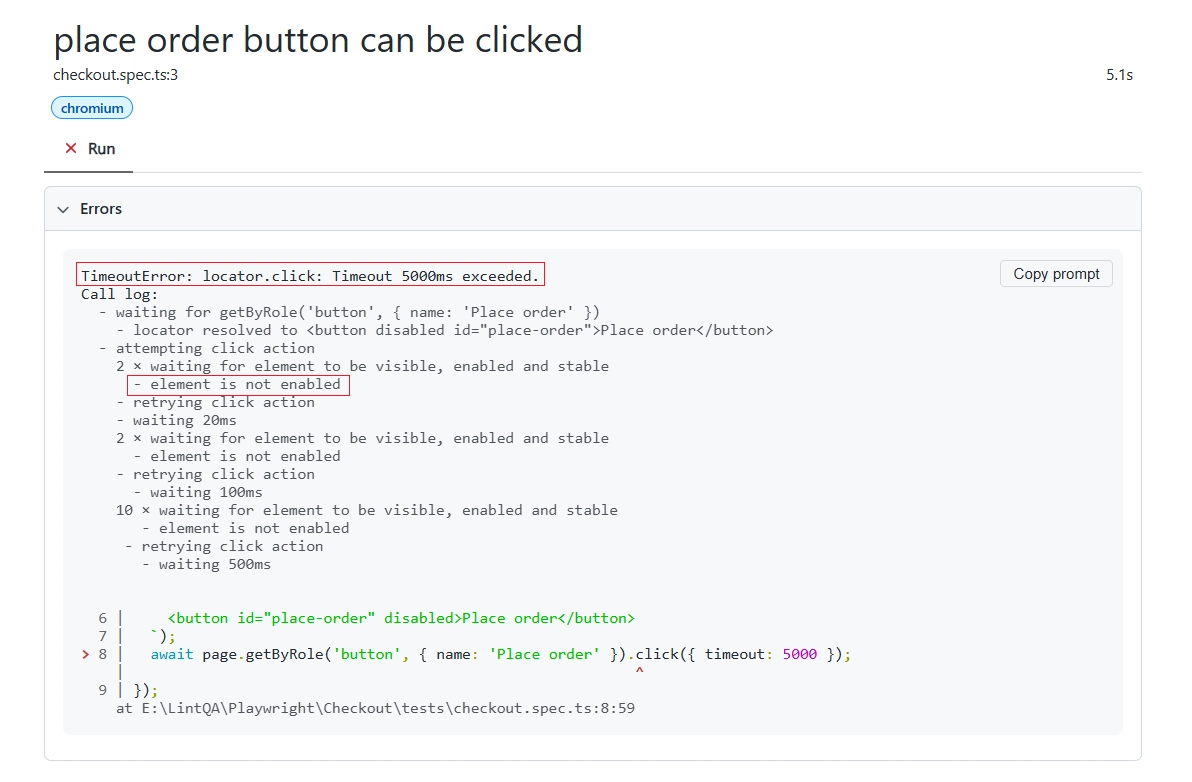
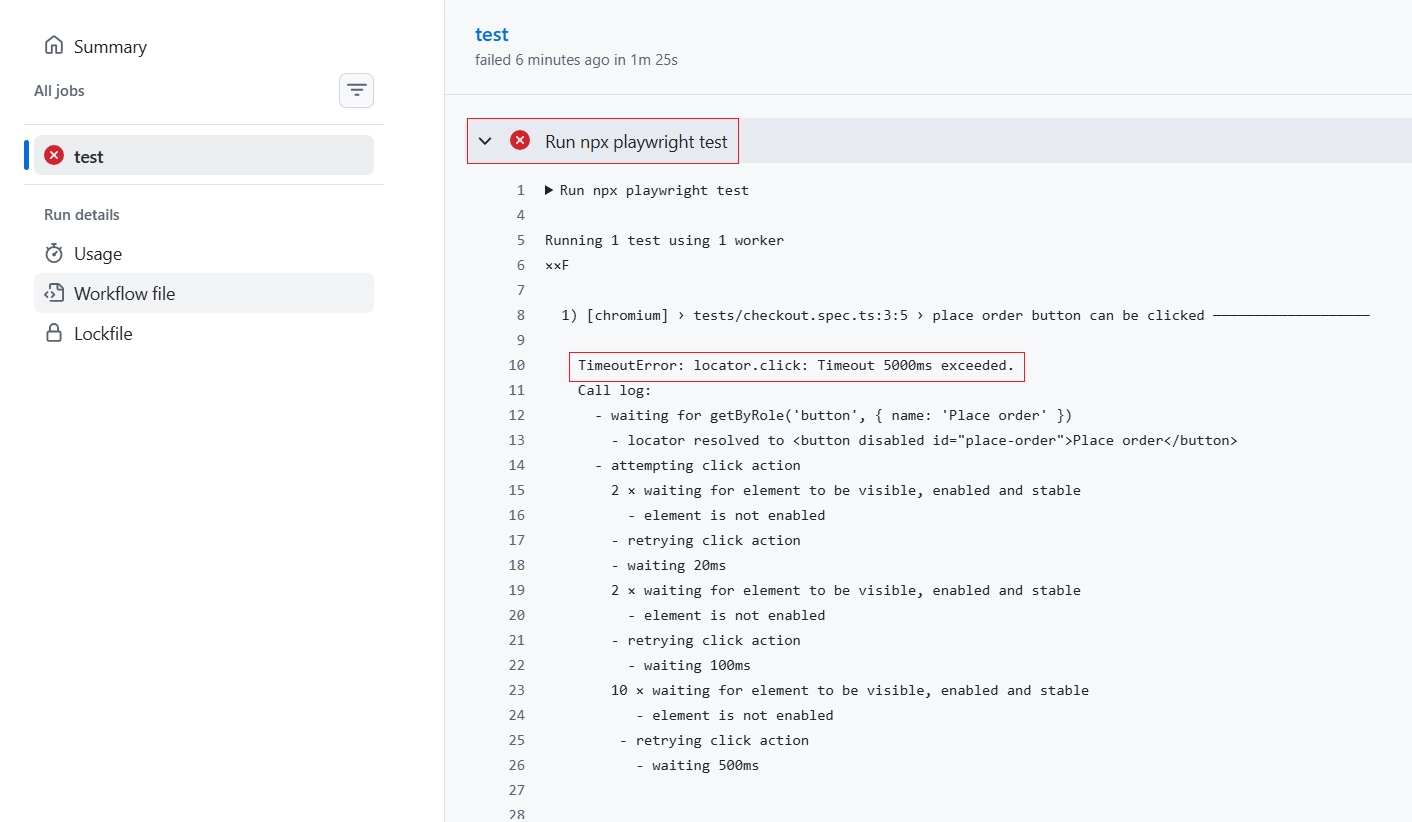
Whatever you choose, learn how it waits. Before a click, Playwright runs actionability checks and waits until the element is visible, stable, receives events and is enabled. Stable means the element kept the same bounding box for two animation frames. Playwright’s auto-waiting documentation lists the checks for every action.
One detail catches people out: an element with opacity set to zero still counts as visible, while one with display set to none does not. If the checks don’t pass in time, the action fails with a TimeoutError.
Most beginners reach for a fixed sleep the moment a test fails. That is the wrong fix. A three-second sleep slows every run and still fails on the slow day. Fix the locator, or assert on the state you’re waiting for.
In the terminal, a missed wait shows up as a red TimeoutError. Run npx playwright show-report afterward and the HTML report shows which step failed.
Here’s what that looked like for me. On an inventory and ecommerce project, a full functional and regression pass across the back end and the front end took almost 5 to 6 days before each release. We shipped new features in phases, so that pass came around often.
I started with Selenium and learned it while building. The first targets were the stable parts: checkout, form submission, product details, prices, tax rates by country zone, shipping options and prices, currencies and coupon redemption. Over time I built a page object framework with data-driven tests fed from Excel, and the suite also verified data in the back end screens and the database.
I tested new features by hand and re-checked the core flows manually for showstoppers. The whole cycle, new feature testing and integration included, dropped from 5 to 6 days to about 1.5 to 2 days.
It wasn’t a clean win. Order placing and product pricing touch money, so I still re-checked them manually. The combinations are huge: many currencies, tax rates by country and zone, shipping options, coupon types and product offers. We never had time to automate every one, and my confidence in that part stayed partial. I go deeper on how to choose what to automate first in my guide to what to automate first in regression testing.
Stay with the tool until you can build a small framework: fixtures or page objects, test data setup, a report and a pipeline run. Only then learn a second tool.
If you already know Selenium, Playwright takes only weeks, because they share the same ideas. The catch is language. Many Selenium testers work in Java, while Playwright is more popular with TypeScript, JavaScript and Python, so budget extra time for the new language and learn it alongside the tool. If you’re carrying old selectors across, a free XPath to Playwright locator converter can speed up the first pass, but review every result, because complex XPath conditions fall back to the original selector.
Stage 4: Mobile and performance (my estimate: 2 to 4 months for the basics of each)
Appium drives Android and iOS apps through drivers you install separately. Appium 3 needs Node.js 20.19 or newer and npm 10 or newer, so an old Node install is the first thing that breaks. After npm i -g appium, you add appium driver install uiautomator2 for Android or appium driver install xcuitest for iOS.
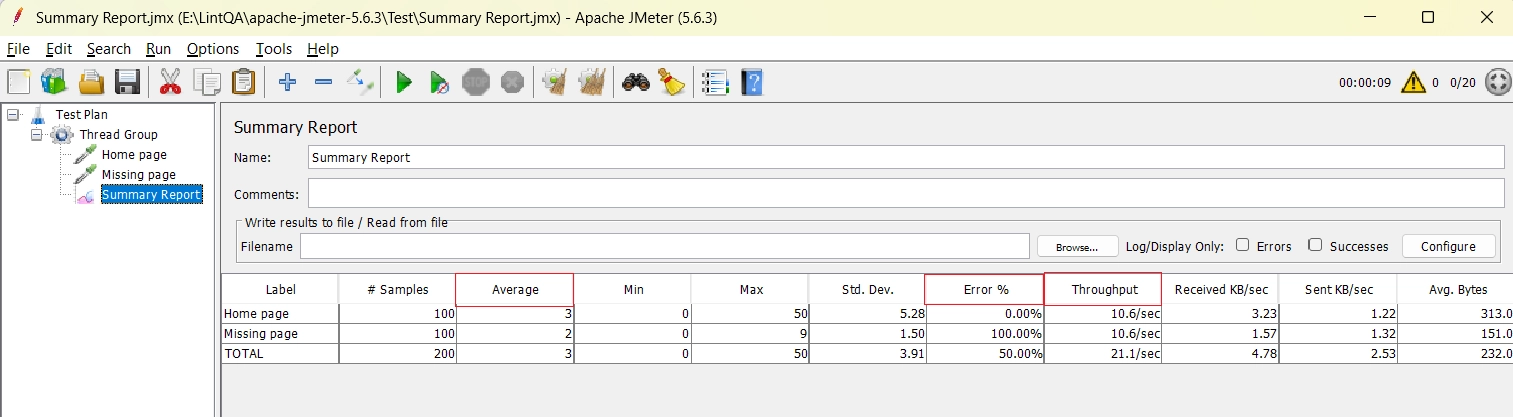
For performance testing with JMeter, I’d start with Apache JMeter because it’s free and open source. The 5.6.x line runs on Java 8 or later, with Java 17 recommended, and the project says the next major release will require Java 17. Check the Java version on your pipeline agents before you upgrade.
Learn to read the summary report: average response time, error percentage and throughput. Run the same plan at a few users, then at many more, and compare the error percentage. That comparison is the whole skill.
If an employer asks for credentials here, ISTQB also offers specialist certificates for Mobile Application Testing and Performance Testing. They’re optional, and they come after the hands-on work.
Stage 5: Pipeline, test data and quality gates (my estimate: 1 to 3 months, alongside stages 3 and 4)
A suite that only runs on your laptop is a hobby. Put it in a pipeline such as GitHub Actions or Jenkins, because the test that passes locally and fails there is daily life in automation. Flaky tests, meaning tests that pass and fail without a code change, usually come from timing, shared state or unstable test data.
Picture the evening before a release. The regression run must finish inside the pipeline’s time limit, and one flaky failure blocks the merge. Decide early which tests gate a release and which run nightly. The regression guide covers how to split tests into pipeline tiers.
Test data deserves the same care. Using real customer records in non-production environments creates immediate compliance risks under EU and UK GDPR, so generate synthetic test data instead.
For EU customers there’s one more expectation. The European Accessibility Act has applied since June 28, 2025, and conformity is usually measured against EN 301 549, which builds on WCAG 2.1 level AA for web content. Add automated accessibility checks to the pipeline, then keep a manual pass.
Stage 6: AI in software testing (ongoing)
AI in software testing is two jobs, not one. The first is using AI to help you test. Playwright now ships three test agents: a planner that explores your app and writes a Markdown test plan, a generator that turns the plan into test files, and a healer that runs failing tests and tries to repair them. Keep in mind these require your own LLM API keys and close supervision.
The healer ends with a passing test, or a skipped one if it decides the feature is broken. That second outcome matters. I’d treat generated tests like a pull request from a new teammate and read every assertion. A green test that checks nothing useful is worse than no test, and a repaired locator can hide a real regression.
The second job is testing products that contain AI, such as chatbots, recommendations and copilots. Their output can differ between runs for the same input, so exact-match assertions fail. You’ll need checks on properties, for example that an answer mentions the order number from the input, plus human review.
Solid stages one to three make agent tools easy to judge, because you already know what a good test looks like.
If your goal is an SDET roadmap, stages 3 to 6 are the heart of it, with stage 1 as the base.
How to follow this software testing roadmap with a full-time job
Most readers aren’t studying full time, so here’s how I’d fit the plan around a normal week. Set aside four or five focused sessions of 45 minutes. Use two for reading or videos, and two for hands-on work on the project of the current stage.
Keep the fifth session for review. Re-run what you built last week, fix what broke, and write down one thing you learned. That habit does more for you than a long weekend binge.
If you already work as a manual tester, you have a head start. Ask your team whether you can automate one small, stable regression flow at work. A real flow with real stakes teaches more than any practice site.
Don’t wait for a perfect moment to begin. Start stage one this week, even if it’s only one bug report.
What a hiring manager wants to see after each stage
A software testing roadmap is only useful if the result is visible to someone else. Keep a public repository or a simple page with one folder per stage.
After stage one, show a short test design document and your best bug reports. After stage three, show the framework and its report. After stage four, show the Appium test and the JMeter plan with a note on what the numbers meant.
Hiring managers rarely read every file. They open the README, so write it for a stranger: what the project tests, how to run it, and what you’d improve next.
What to skip for now, and what slows people down
What can wait
You can skip most of the tool zoo at first. A second automation tool, LoadRunner, Cypress and visual AI products can all wait until one stack is solid. Certifications beyond the Foundation level can wait too.
A giant framework can wait. Build the smallest structure that runs reliably, then grow it when the second project demands it.
Three mistakes that slow every software testing roadmap
The first is tool hoarding, which I covered above. The second is automating everything, which buries a team in tests nobody trusts. The third is skipping test design. Automation only repeats your thinking faster, so weak test cases become weak automated tests.
ISTQB’s testing principles include one that explains why: tests wear out. If the same tests run again and again, they find fewer new defects, so keep revising them.
How to decide what to learn next
Before you pick up the next stage of the software testing roadmap, check three things. First, can you finish the current stage’s project without a tutorial open? If not, stay put.
Second, read ten job listings in your target market and note which tool shows up most. That beats any ranking. Third, ask whether your team needs the skill now, because a skill you use next month sticks and one you never use fades.
The careless version learns five tools shallowly and none well. Whatever you choose, run it on a real project with Playwright, Selenium, Appium or JMeter within a week.
Where this software testing roadmap does not fit
This order assumes a web or mobile product and a team that welcomes automation. If you test embedded or machine-integrated software, as in my first job, browser tools cover only the screen layer. You’ll need simulator and hardware-focused skills that this roadmap doesn’t teach.
In safety-critical work, a high level of test independence may be required, which changes who writes the tests. And if you already automate every day, skip ahead to stage 4.
Bottom line: finish one stage, then start the next
A software testing roadmap works only when each stage ends in something you can show: a bug report a developer thanked you for, a green pipeline, a load test with a clear result. Reading doesn’t count.
Pick the stage you’re in right now, write down one small project that proves it, and finish it this week. Then start the next stage, and ignore the fifth tutorial tab.
Which stage of the roadmap are you working on right now, or where have you felt stuck? Leave a comment below, I read every reply and will help you prioritize your next project.
FAQ
How long does it take to learn software testing from scratch?
Plan for roughly three to six months to reach entry-level manual skills, and several more months for a first working automation project. That’s my rough estimate, not a guarantee, because it depends on your weekly hours and on whether you build real projects. Finishing small projects matters more than counting weeks.
Which should a beginner learn first, Playwright or Selenium?
Learn the one your target employers list, and if they list neither, pick Playwright with TypeScript. Playwright’s built-in auto-waiting reduces the timing flakiness that trips up beginners. Selenium with Java is still a sensible choice for teams that already have Java suites.
Is manual testing still worth learning in 2026?
Yes, because automation can’t judge whether software suits the people using it. The ISTQB Foundation syllabus says that even with heavy DevOps automation, manual testing from the user’s perspective is still needed. It also teaches the test design you’ll later automate.
Is a QA engineer roadmap different from a software testing roadmap?
Mostly the job title changes, not the path. A QA tester roadmap leans on stages 1 and 2, while a QA engineer or SDET path adds the automation, pipeline and code work from stages 3 to 6. People also search for a quality assurance roadmap and mean the same journey. Follow the stages in order and match the title to the jobs you want.
Will AI replace software testers?
I don’t expect it to replace testers who can judge quality, though it will change the routine work. Playwright’s test agents can plan, generate and repair tests, but someone still decides what matters and reviews the result. Testers who know test design are best placed to supervise them.

One Comment